
Best IPTV for Firestick in Belgium and Netherlands – 2026 Setup Guide
The best IPTV for Firestick in Belgium and Netherlands gives you an easy and flexible way to stream live TV, movies, series, and sports on Amazon Fire TV devices. Firestick is one of the most popular streaming devices because it is affordable, easy to use, and compatible with many IPTV apps.
In this 2026 setup guide, you will learn how to install IPTV on Firestick, which apps work best, how to configure your device, and how to improve your streaming experience. If you want a simple and reliable setup for home entertainment, Firestick remains one of the best choices.
Many users looking for the best IPTV for Firestick in Belgium and Netherlands want a simple setup, stable streaming, and easy app installation.
Table of Contents
- Why Firestick Is a Good Device for IPTV
- What You Need Before Installing IPTV on Firestick
- Step 1: Install Downloader on Firestick
- Step 2: Enable Developer Options on Firestick
- Step 3: Choose the Best IPTV App for Firestick
- Best IPTV for Firestick in Belgium and Netherlands: Why Users Choose It
- Common Problems and Quick Fixes
- Is Firestick Better Than Smart TV for IPTV?
- Final Thoughts
Why Firestick Is a Good Device for IPTV
Many users prefer Firestick for IPTV because it is compact, simple to install, and works well with different IPTV players. It is also easy to connect to almost any modern TV and gives users a smooth navigation experience.
A Firestick setup is a practical option if you want:
- Easy IPTV app installation
- Fast access to live TV and VOD
- Support for Xtream Codes and M3U playlists
- A user-friendly interface
- Better flexibility than many built-in Smart TV systems
For many homes in Belgium and the Netherlands, Firestick is one of the easiest ways to enjoy IPTV without needing complicated hardware.
What You Need Before Installing IPTV on Firestick
Before you begin, make sure you have the following:
- An Amazon Firestick or Fire TV device
- A stable internet connection
- An active IPTV subscription
- Login details such as username, password, and server URL
- An IPTV player app compatible with Firestick
For the best results, use a stable internet connection, especially if you want to stream HD or 4K content.
Step 1: Install Downloader on Firestick
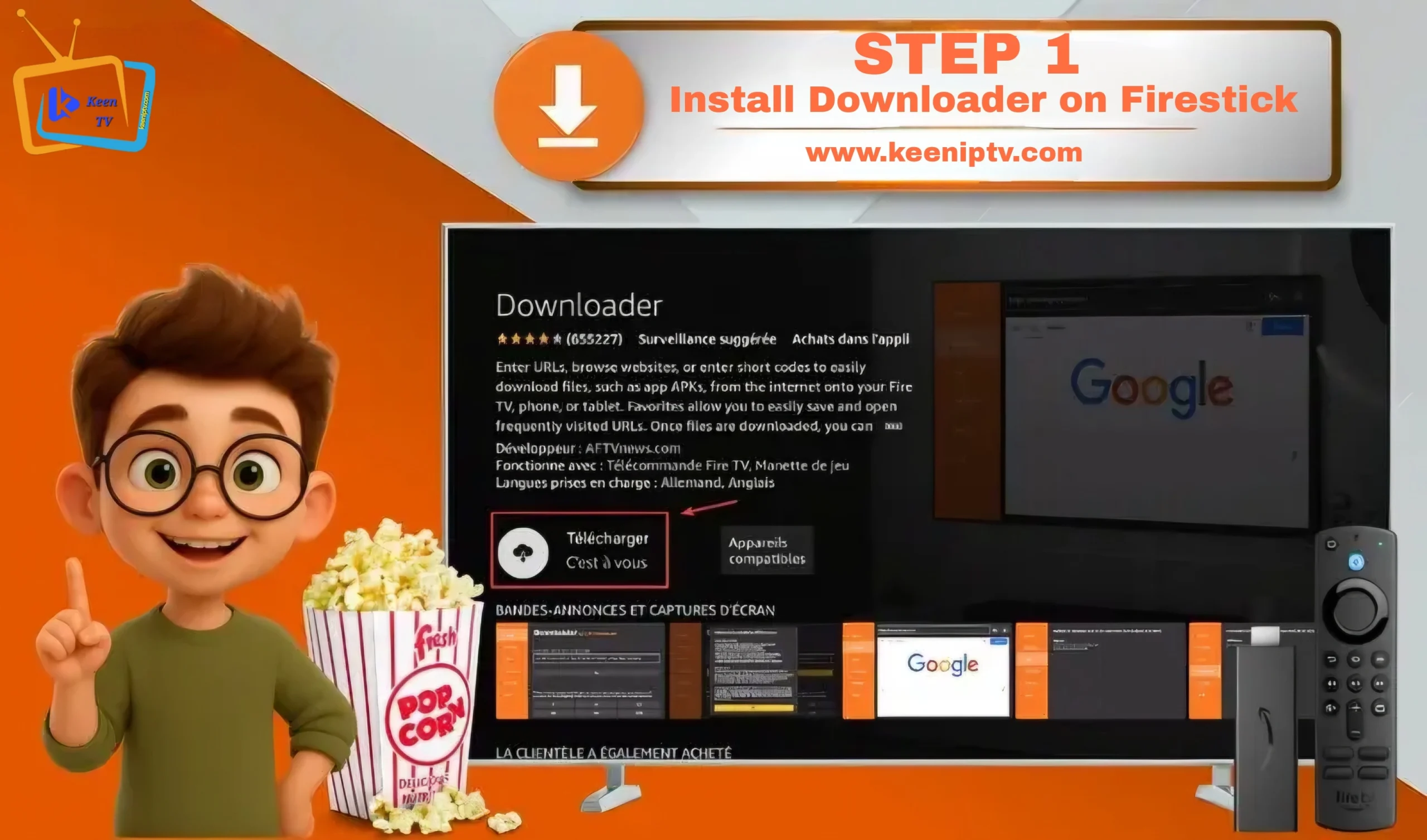
One of the easiest ways to install IPTV apps on Firestick is by using the Downloader app.
To install Downloader:
- Turn on your Firestick and go to the home screen
- Select Find and then Search
- Type Downloader
- Select the Downloader app
- Click Download or Get
- Wait for the installation to finish
Once installed, Downloader will help you install IPTV players that are not directly available in the standard app store.
You can download the Downloader app from the official Amazon Appstore.
Step 2: Enable Developer Options on Firestick
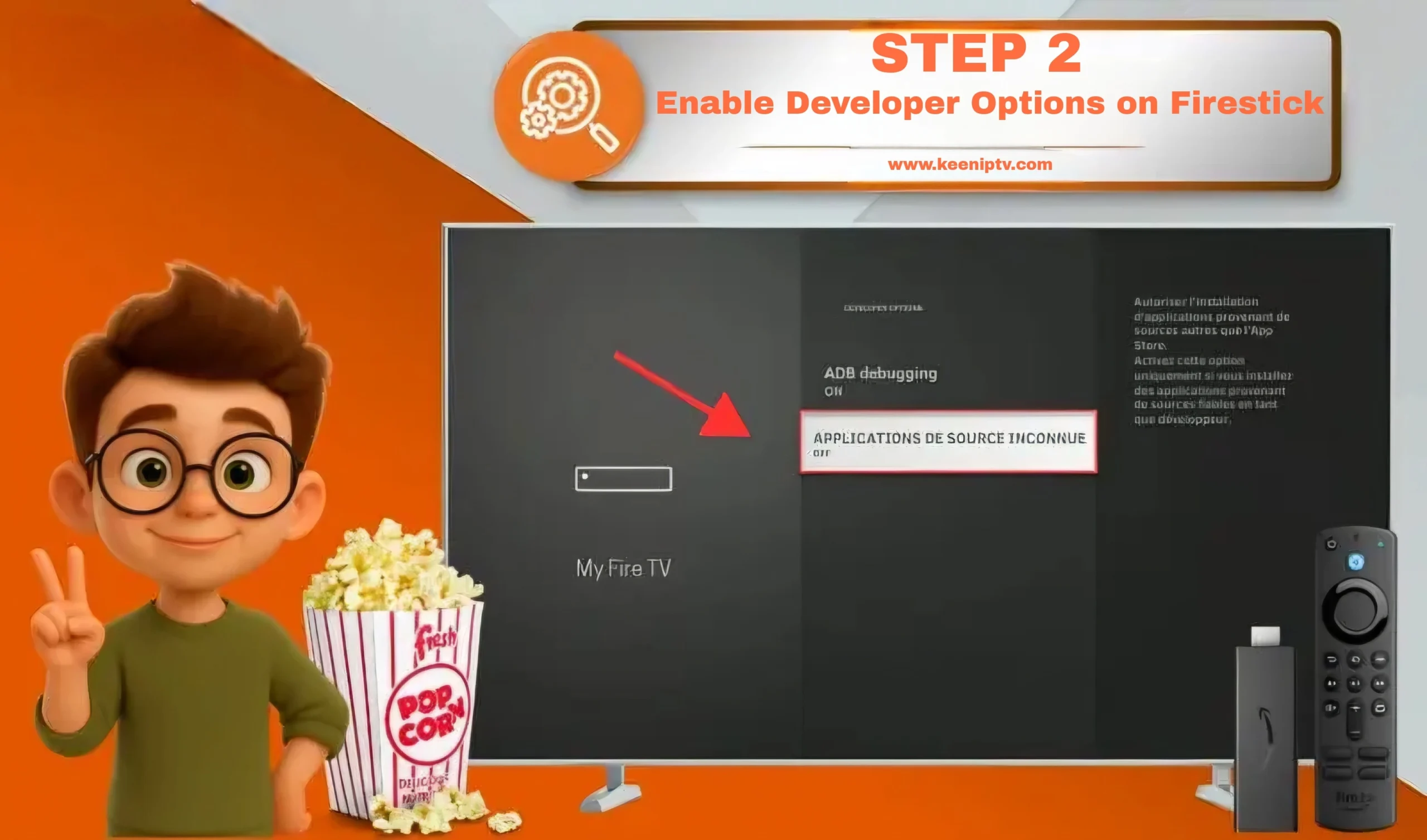
Before installing IPTV apps manually, you may need to enable the correct settings on your Firestick.
How to enable it:
- Go to Settings
- Open My Fire TV
- Select About
- Highlight your Fire TV device name
- Press the OK button 7 times
- Go back
- Open Developer Options
- Enable the installation settings you need
After this step, your Firestick will be ready for IPTV app installation.
You can learn more from the Amazon Fire TV Developer Options page.
Amazon Fire TV Developer Options.
Step 3: Download IBO Player Pro on Amazon Fire Stick
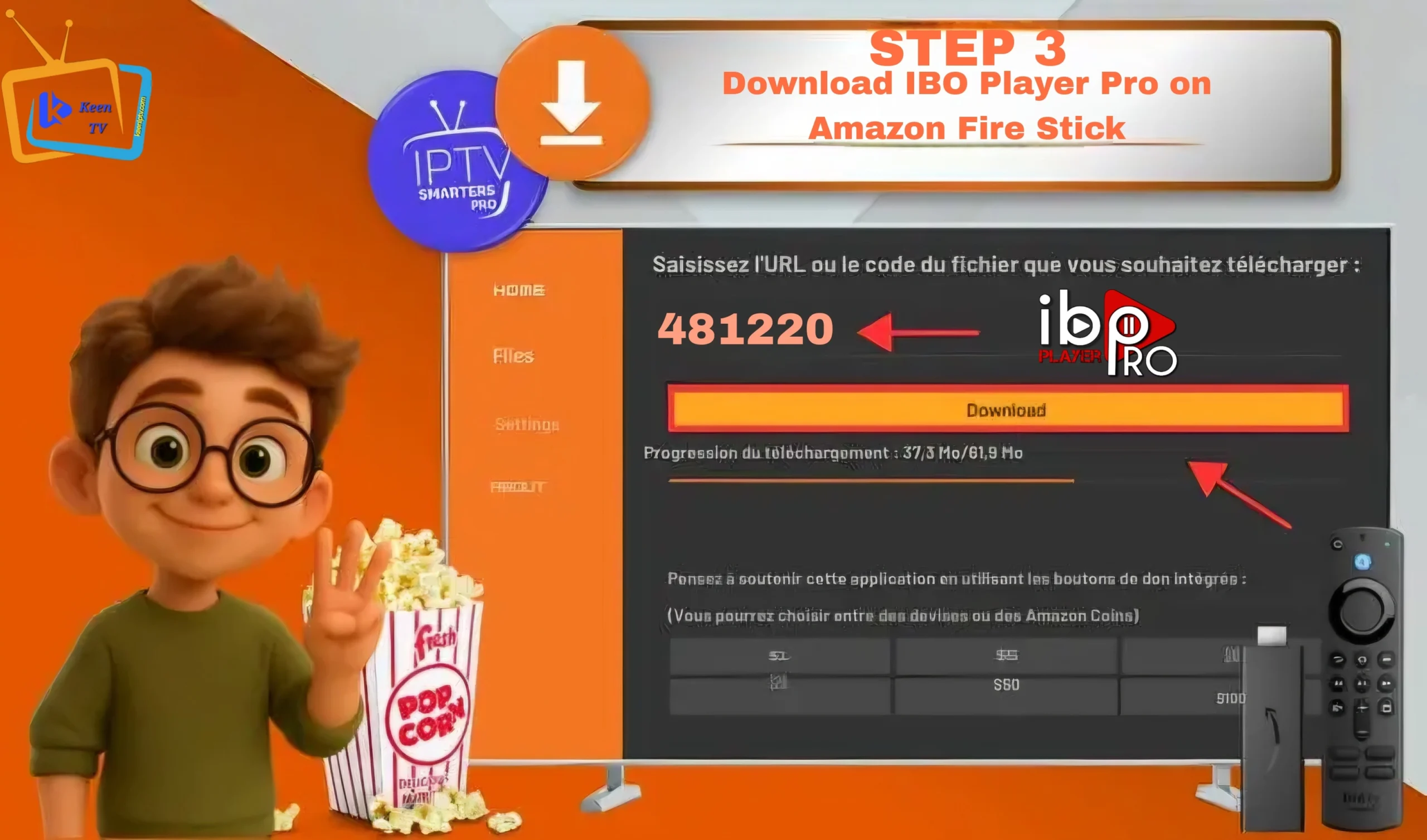
After setting up the Downloader app, open it. The first time you use it, a few pop-up windows may appear. Simply close them by clicking the appropriate options.
On the main screen, locate the input field. To install IBO Player Pro quickly on your Amazon Fire Stick, just enter the code 481220. This code gives you direct access to the application without having to search for it manually.
Once the code is entered and the download starts, wait about 5 seconds, then scroll down to find the APK file and begin the installation.
After IBO Player Pro is installed, you only need to enter your IPTV login details using M3U or Xtream Codes. You can also send the MAC address along with the device code to your provider so they can add the playlist linked to your server.
Once this is done, you can start watching your channels with a smooth and stable streaming experience.
Hot Player Pro
Hot Player Pro is a simple and lightweight app that works well for users who want direct access to channels and content without a complicated interface.
The Downloader code for Hot Player Pro is 395800.
TiviMate
TiviMate is one of the most popular apps for Firestick and Android TV users. It is ideal for people who want better playlist management, a polished interface, and advanced IPTV features.
The Downloader code for TiviMate is 272483.
If you want to compare other players, you can also read our TiviMate IPTV Player Setup Guide, Hot Player Pro IPTV setup guide, and Best IPTV Apps for Smart TV articles.
Best IPTV for Firestick in Belgium and Netherlands: Why Users Choose It
The best IPTV for Firestick in Belgium and Netherlands should offer fast activation, stable servers, and compatibility with popular IPTV apps.
When choosing an IPTV service, look for:
- Stable live TV streaming
- HD, FHD, and 4K support
- Fast activation
- Good support when needed
- Compatibility with popular Firestick apps
- Updated channel and VOD library
For many viewers, the best IPTV for Firestick in Belgium and Netherlands is the one that offers stable streaming, easy setup, and reliable support.
Common Problems and Quick Fixes
Sometimes the IPTV app installs correctly, but some issues still appear. Here are the most common problems and quick solutions.
App does not install
Check if Developer Options are enabled correctly and make sure installation permissions are active.
Playlist does not load
Double-check your username, password, and server URL. A small mistake can stop the login process.
Buffering or freezing
Restart the app, restart the Firestick, and test your internet speed. In many cases, the issue comes from network stability.
Channels do not appear
Refresh the playlist or reopen the app after login.
App closes suddenly
Uninstall the app, reinstall it, and log in again.
Is Firestick Better Than Smart TV for IPTV?
In many situations, yes.
Some Smart TVs are more limited when it comes to app compatibility, while Firestick offers more flexibility. It is often easier to install players, update apps, and manage IPTV settings on Firestick than on some built-in TV systems.
That is why many users in Belgium and the Netherlands prefer Firestick for IPTV streaming, especially when they want a flexible and stable setup.
If you also use Smart TVs, you can visit our Best IPTV Apps for Smart TV guide to compare more options.
Before choosing a provider, make sure you compare features carefully to find the best IPTV for Firestick in Belgium and Netherlands for your device and streaming needs.
Final Thoughts
If you want the best IPTV for Firestick in Belgium and Netherlands, it is important to choose a service that combines quality, support, and smooth device compatibility.
With the right IPTV app, correct Firestick settings, and a reliable IPTV subscription, you can enjoy live TV, movies, series, and sports with a smoother streaming experience. Start by installing Downloader, enable the right settings, choose a compatible IPTV player, and log in with your subscription details.
For more information about plans and activation, you can also check our Pricing page and FAQ page.
For more details, visit our Pricing page and FAQ page.